Advanced rollup calculations
Whilst the rollup() function allows the aggregation of measure property values the traverse() function returns a list of distinct results of a map across all descendants (inclusive)
The generic form for traverse() is:
node.traverse(map, reduce, finalize, options)
traverse returns the list of distinct results of the map across all descendants (inclusive) unless you choose to exclude self via the option {includeSelf: false}
map is a function that takes a node and returns an array.
reduce is a string: "distinctNodes"for a map that returns an array of nodes and "distinct" for a map that returns something else
finalize is optional and can often be left as undefined
options allows you to choose if you want to include the node referenced or not in the result
Distinct count of property values
To calculate the distinct count of departments of a nodes's descendants
Use traverse(map, reduce) and define the map function and reduce string.
We are interested in location so the map is:n => n.department
The result of the map isn't a node, so reduce is "distinct"
node.traverse(n => n.department, "distinct")
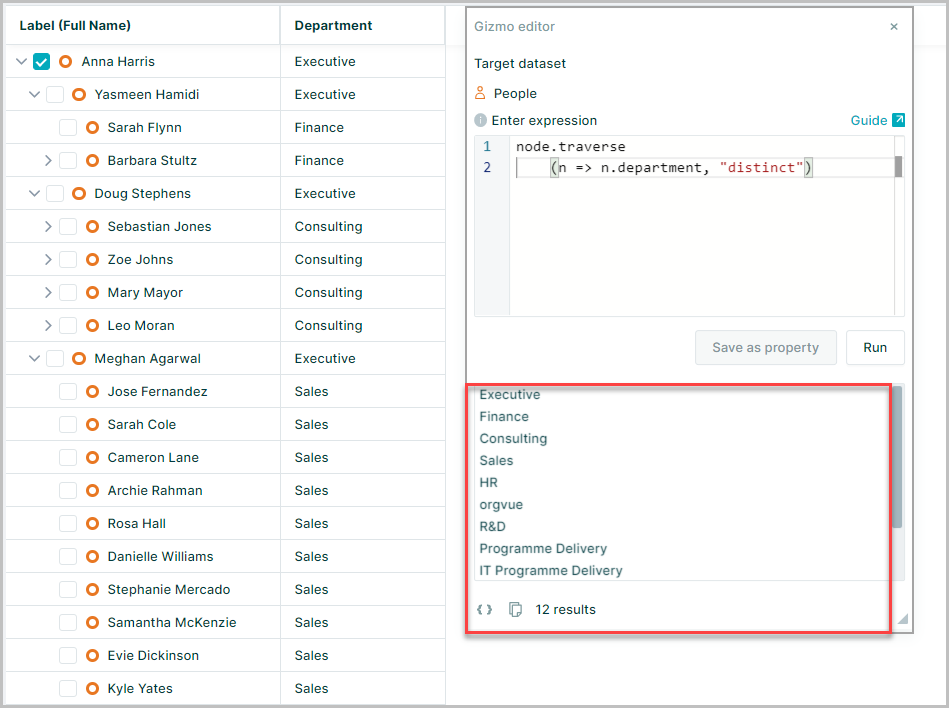
This is the list of distinct departments in the node's descendants
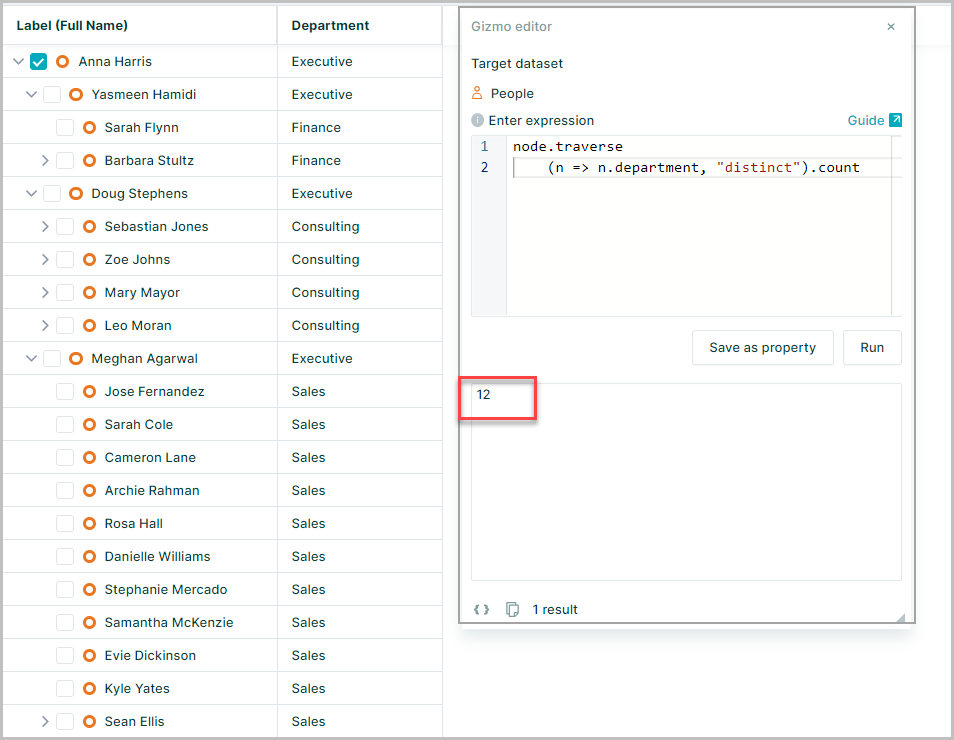
To count how many there are .count is added to the expression
node.traverse(n => n.department, "distinct").count
Distinct count of nodes
This example uses a people dataset and linked to an activity dataset
For a manager in the people dataset, you want to find the distinct leaf activities of its descendants
Then return the sum for activityFTE of those leaf activities
Use traverse(map, reduce) and define the map and the reduce
We are interested in leaf activities so the map is:
n => n.links.to.filter(n => n._is_leaf)
The result of the map is a node, so reduce is "distinctNodes"
node.traverse(n => n.links.to.filter(n => n._is_leaf), "distinctNodes")
The result is an array of nodes for the distinct leaf activities for the node's descendants
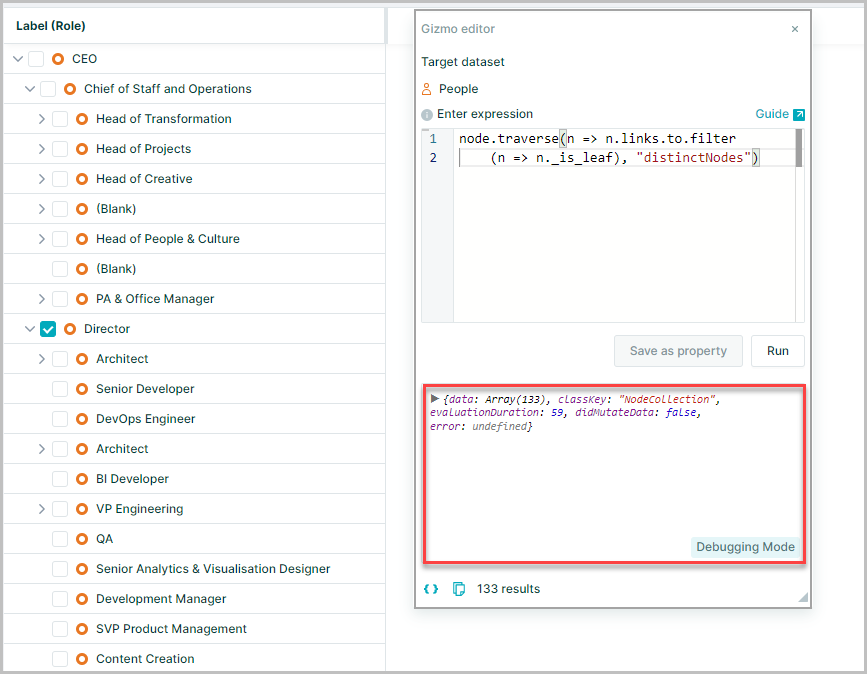
Each leaf activity is a node from the activity dataset
To view the labels for each of the nodes in the array .label can be added to the expression
node.traverse(n => n.links.to.filter(n => n._is_leaf), "distinctNodes").label
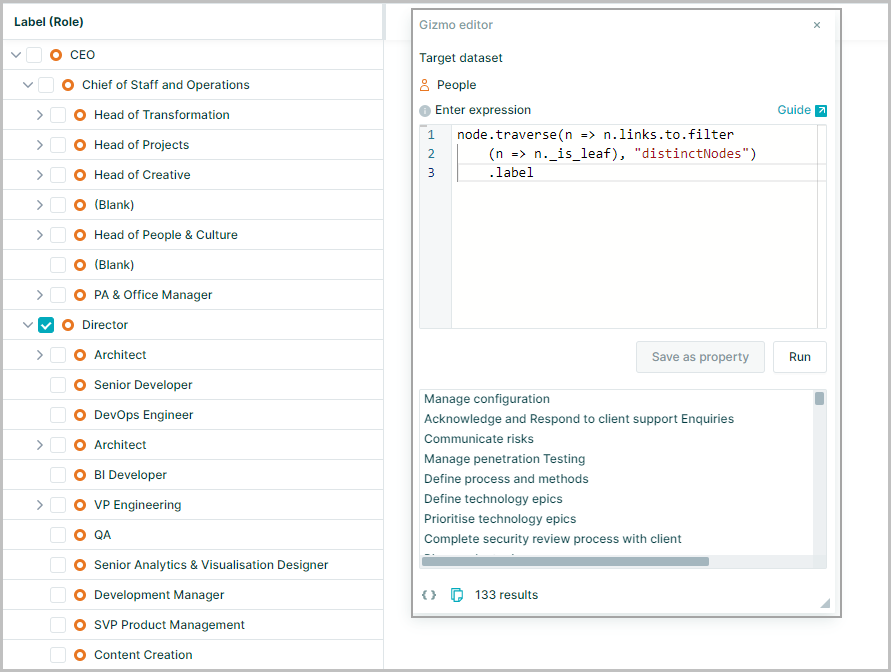
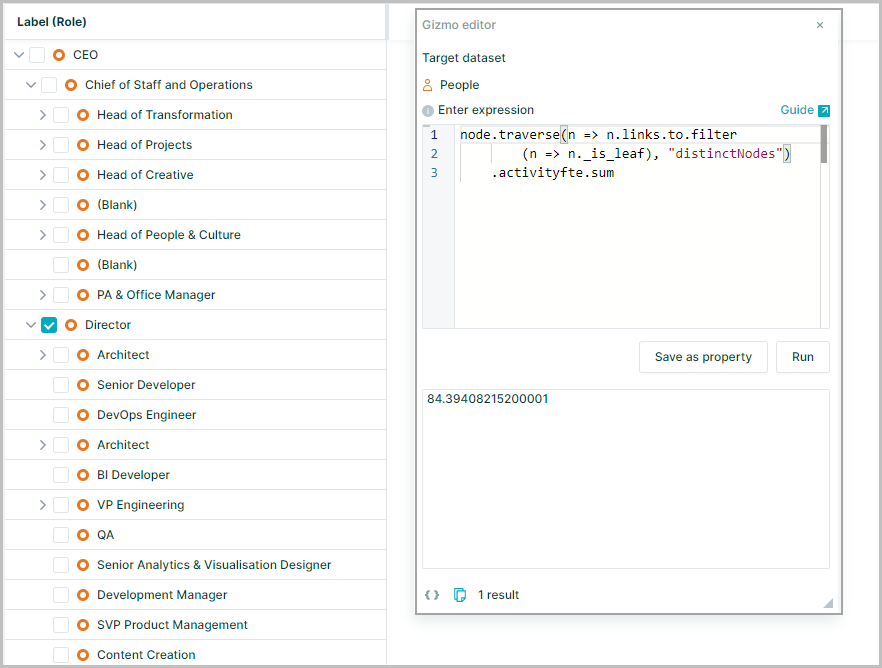
Finally to retrieve the activityFTE and sum the result add .activityFTE.sum to the expression
node.traverse(n => n.links.to.filter(n => n._is_leaf), "distinctNodes").activityfte.sum
Traverse excluding self
By default traverse() includes the current node (itself)
If you want the expression to exclude the current node then you can add an argument to the traverse() to "exclude self"
This has the generic form:
node.traverse(map, reduce, finalize {includeSelf:false})
This example expression provides a distinct list of values for the department property and includes the current node
node.traverse(n => n.department, "distinct")
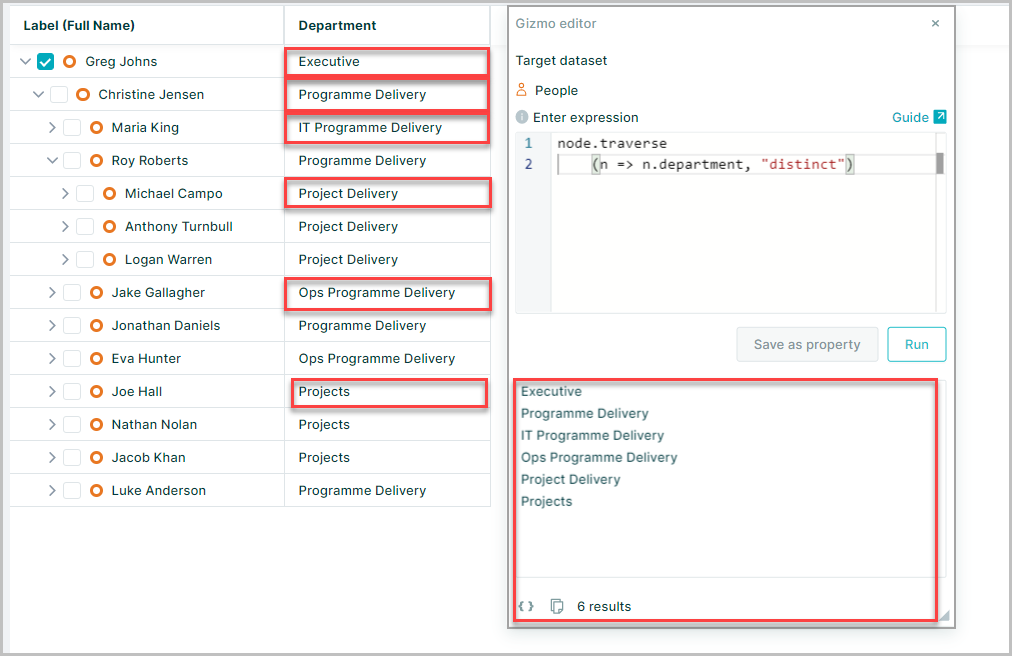
To exclude the currently selected node
node.traverse(n => n.department, "distinct", {includeSelf:false})
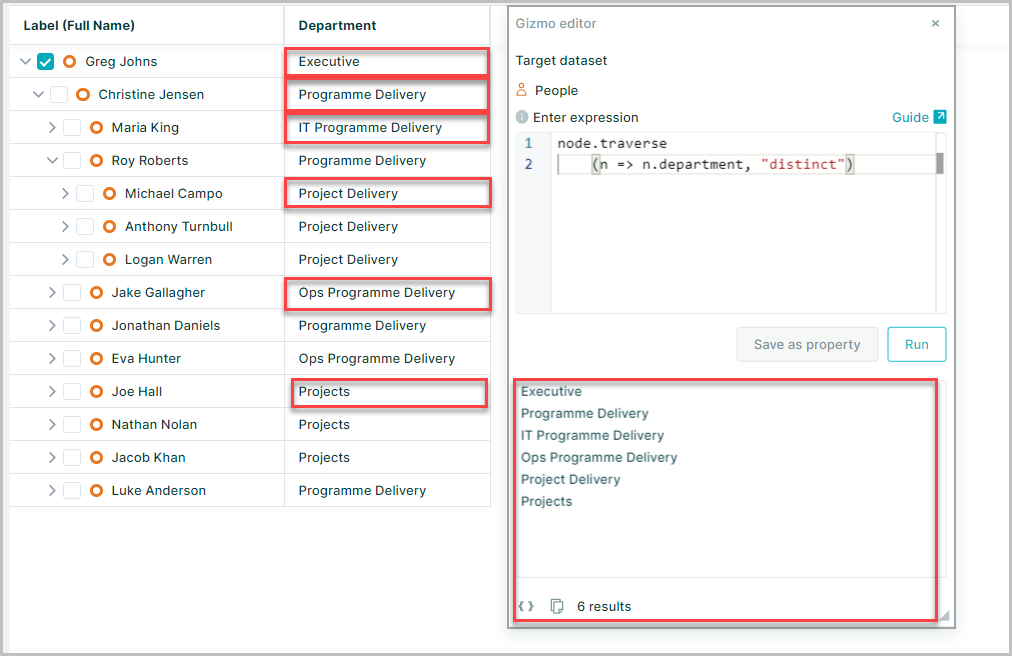
Traverse on filtered data
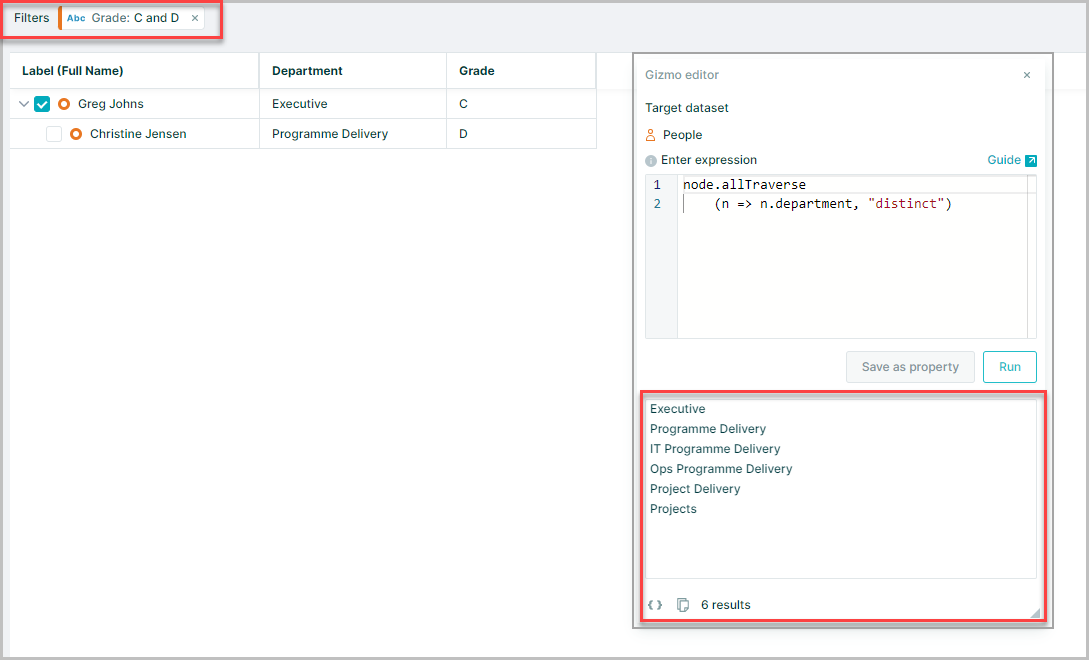
If any filters applied to the dataset, traverse will perform calculations on the filtered subset of your data
node.traverse(n => n.department, "distinct")
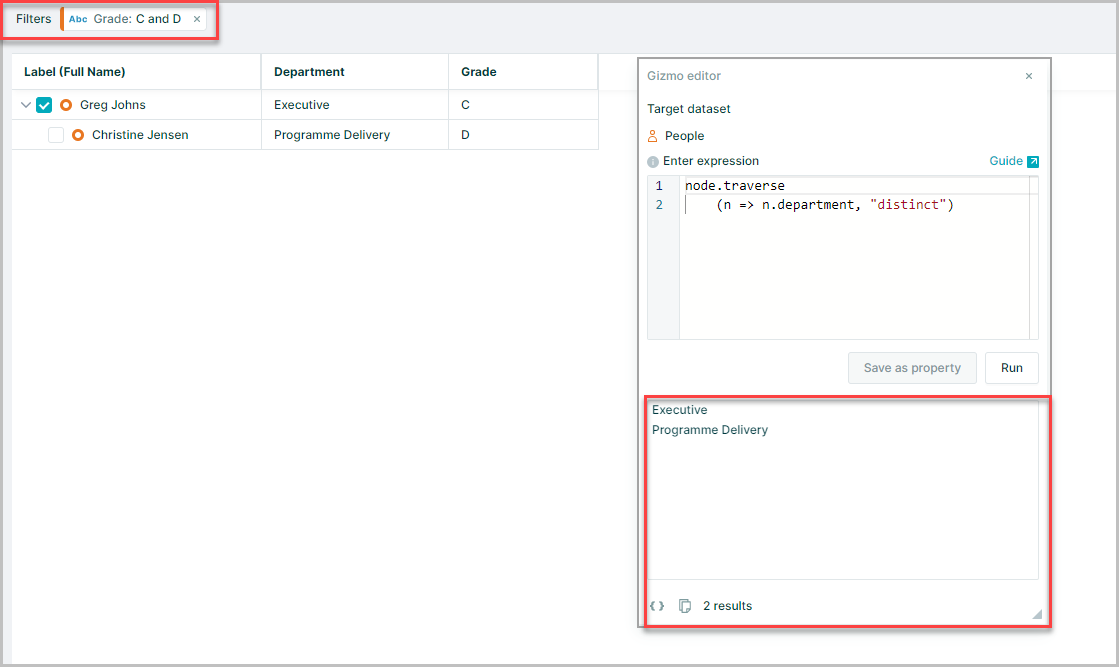
To do traverse calculations on unfiltered data, use allTraverse() in the expression, instead of traverse()
node.allTraverse(n => n.department, "distinct")