Operators
Gizmo supports a number of operators for use in expressions to perform specific functions
Arithmetic operators
Standard arithmetic operators are available for use and it is recommended to use these with the .math() method when performing calculations as math catches cases where data are missing or of the wrong type
+ (addition)
- (subtraction)
* (multiplication)
/ (division)
% (modulus)
See Basic Arithmetic for further detail and examples of using these operators in expressions
Logical operators
&& (and)
|| (or)
! (not)
?? (Nullish coalescing operator) See Nullish coalescing operator
Example Expression
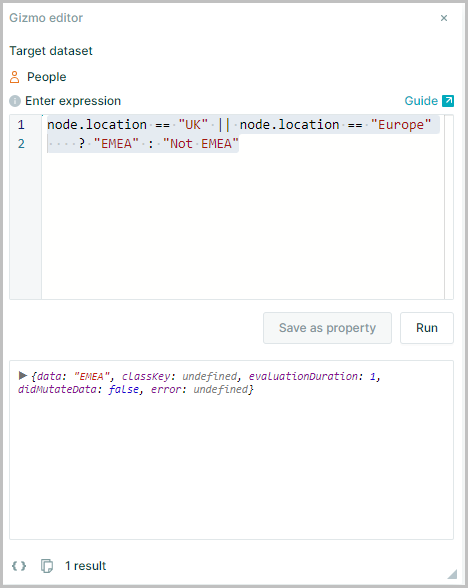
Using the || (Or) function
node.location == "UK" || node.location == "Europe" ? "EMEA" : "Not EMEA"
Comparison operators
Although the following Comparison operators can be used for logical expressions it is recommended to use the .isEq() method or the is predicate library when performing comparisons
A predicate is a function that takes one item as input and returns either true or false based on whether the item satisfies some condition
= (assign; used for declaring a variable, e.g. let a = 5)
== (equal; used for testing whether two things have the same value, e.g. node.region == "South")
=== (identical; used for testing whether two entities are exactly the same. If a = 5 and b = 5, then a == b but a !== b because they’re two different variables. Rarely used in Gizmo except for === 0 and ===true|false)
!= (not equal)
!== (not identical)
< (less than)
> (greater than)
<= (less than or equal to)
>= (greater than or equal to)
Conditional operators
Conditional operators allow the construction of If, Then, Else statements
For more details on conditional logic see Conditional Logic
The expression syntax is:
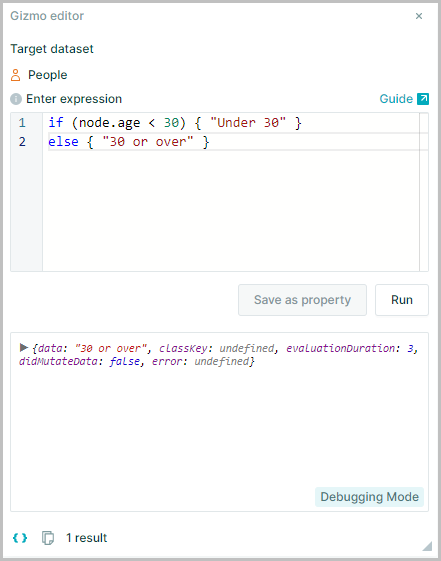
If (condition) {"true"} else {"false"}
e.g.
if (node.age < 30 ) {"Under 30"} else {"30 or over "}
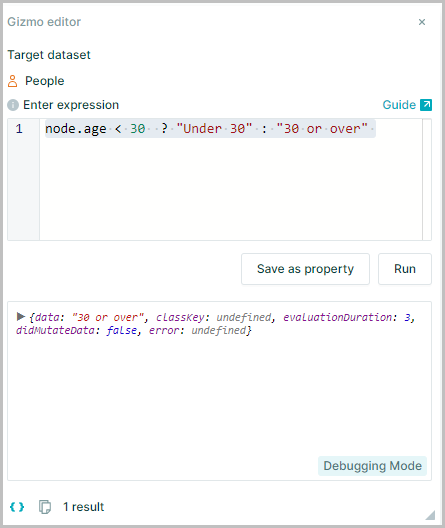
However If, Then Else statements may be written using the Javascript Ternary operator to make the code cleaner and simpler to read
The ternary version of the If, Then Else statements has the following syntax:
condition ? "true" : "false"
e.g. node.age < 30 ? "Under 30" : "30 or over"
Lambda syntax
=> (defines lambda expression; see Lambda Expression for more details)
Search operators
Used in the search panel
| Operator | Description |
|---|---|
AND | A logical operator which joins together two statements that must both be true for a Node to be returned by the search (e.g.Role:Finance AND Location: USA) |
OR | A logical operator which joins together two statements that can either be true for a Node to be returned by the search (e.g. Role:Finance OR Jobfamily: Finance) |
NOT | A logical operator which tests if something is not true (e.g. NOT department: HR) |
() | Brackets can be used to group search clauses together |
: | search in a particular property (e.g.'name: john') |
.. | Range, the result can be between two numerical values (e.g. 'age: 18..30') |
^ | Begins with, search for a string that begins with a specific characters (e.g. ) |
\w | Matches any alphanumeric character. Including the underline |
\S | Matches any non-whitespace character |
| | OR search operator (e.g. Role:Finance|Accounting) |
\b | Word boundaries used when searching for specific words to prevent partial matches within other words |
Example searches
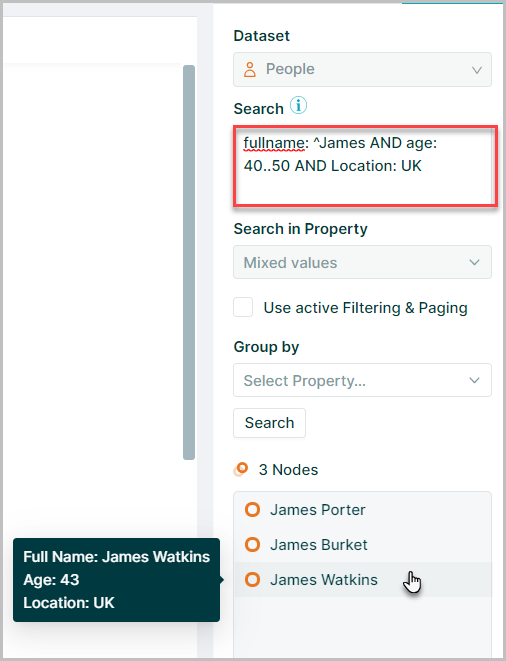
To find Nodes where the fullname of the Node begins with "James", and age is between 40 and 50 And they are in the Location UK
This would be written as: fullname: ^James AND age: 40..50 AND Location: UK
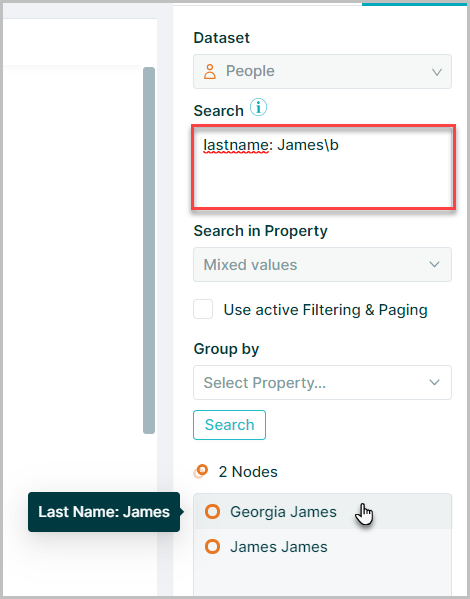
To find nodes where the Last Name of the node is "James" but not "Jameson" use word boundaries to define the search
This would be written as: lastname: James\b
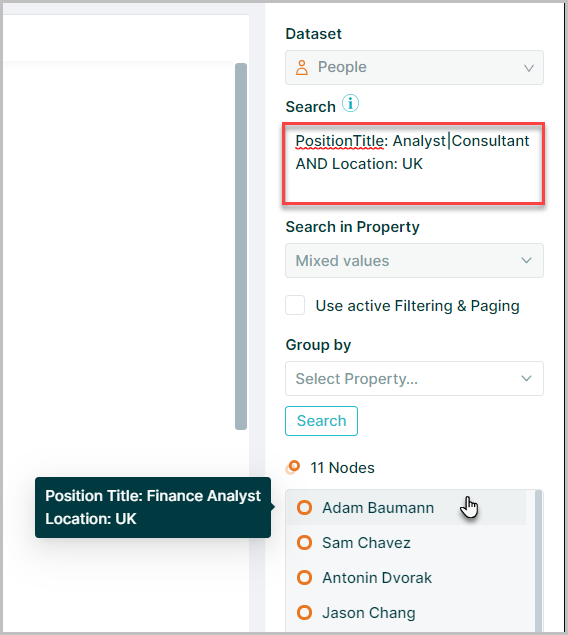
To find nodes that have the Position Tile of "Analyst" or "Consultant" located in UK
This would be written as: PositionTitle: Analyst|Consultant AND Location: UK
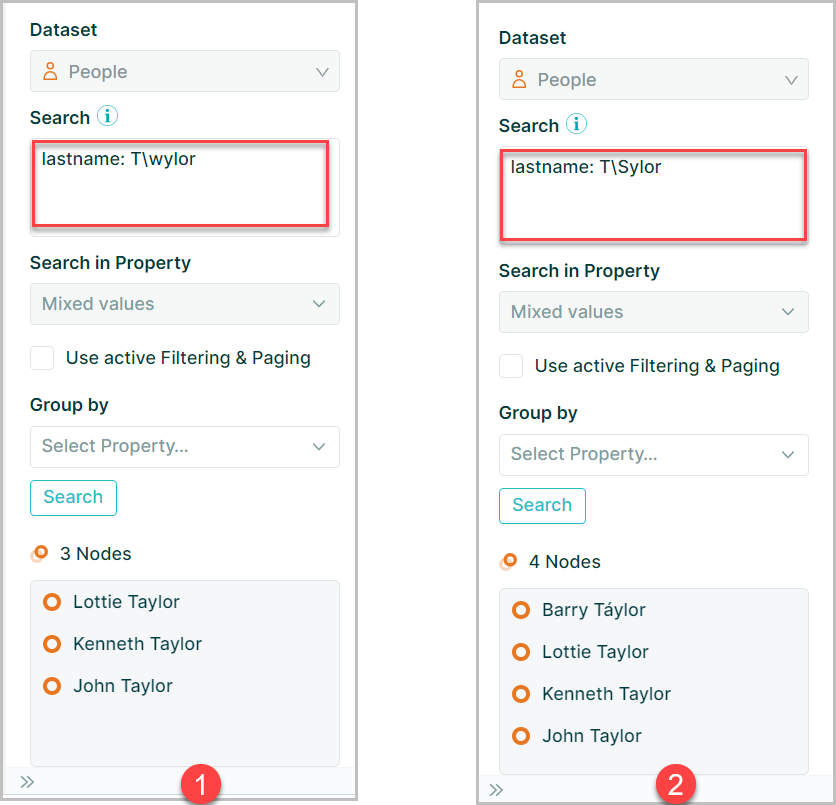
The operators \w or \S may be used in searches as wildcard characters
\w searches for any alphanumeric character however this will not return characters with diacritics \S will search for any non whitespace character
e.g.
lastname: T\wylormatches "Taylor"lastname: T\Sylormatches "Taylor" & "Táylor"