Links
A link is a connection between one node and any number of nodes in another dataset of a different type
Links allow you to manage and analyse the many to many relationships that exist in an organization system
Such as:
- People who have applied to a Position
- People who job-share in a Position
- The work People do on specific Activities
- The Competencies that People have
Links then are the connection between two nodes and carry a value.
As an example:
A Person may be linked to an Activity by the proportion (%) of time they spend working on that activity
These relationships are stored in a Links Dataset
The Links Dataset contains the following properties
| Property | Description |
|---|---|
| from_id | The id property value of the person linked from (the people dataset) |
| to_id | The id property value of the activity being linked to (the activity dataset) |
| allocation / value | The value linking the node between two datasets ((%) of time they spend working on that activity) |
Expressions may be conducted from either the from People dataset or to Activity dataset depending on the use case
Viewing links between datasets
Links between datasets maybe either:
- One to one: e.g. people linked to current positions
- One to Many: e.g. people linked to activities conducted
These links may be viewed from either linked dataset and the results returned will show the links for the currently selected node using
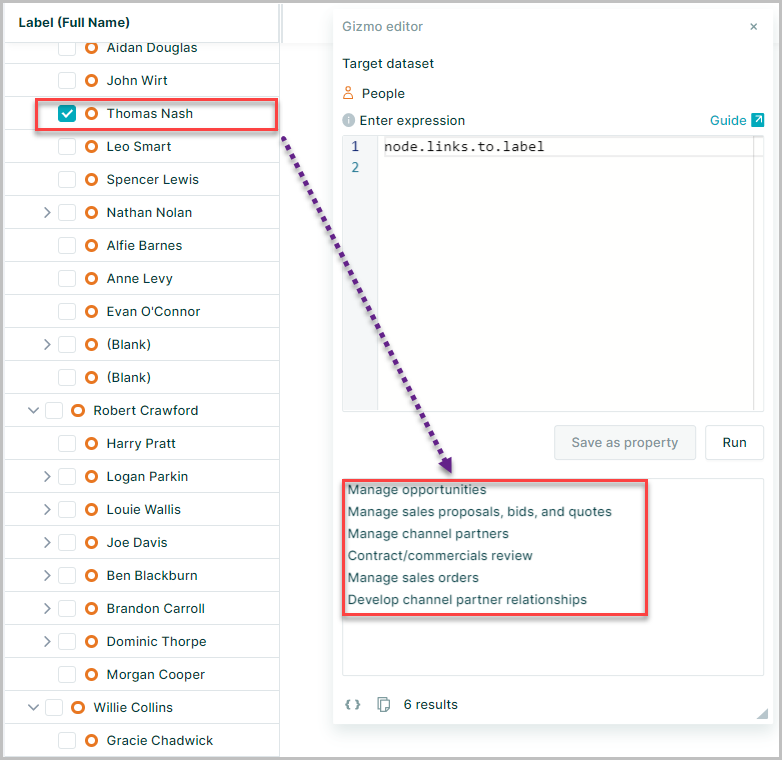
node.links.to.label
This will return the label property value for all links for the current node
The results returned will depend on the dataset the expression is evaluated from
Here the expression is run from the people dataset and therefore returns the label for each activity the selected node is linked too
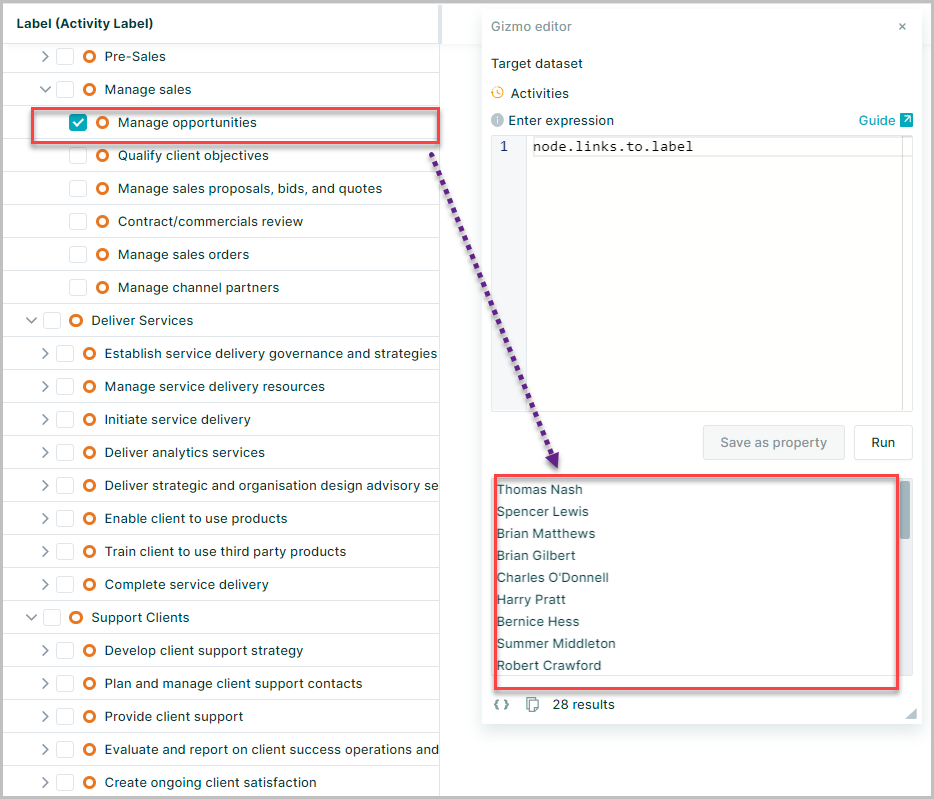
While running the same expression from the activity dataset will return all the people linked to a single activity
Calculating sum of links
Nodes are linked by values and these may be used in calculations to deliver more detail
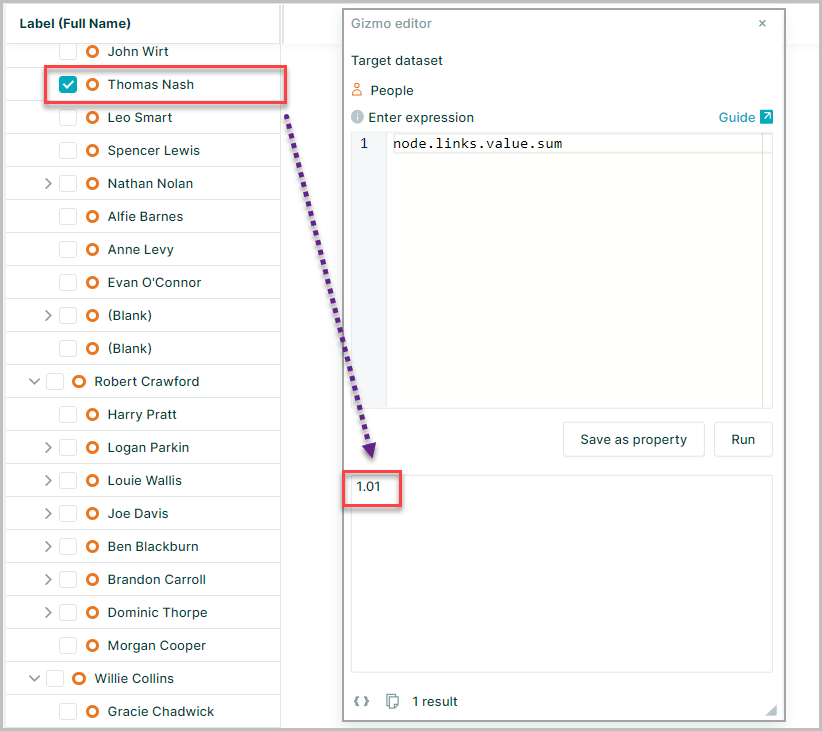
node.links.value.sum
In this example evaluating the expression in the people dataset will sum all the links for a individuaL person node (how much time does an individual spend on activities)
Whilst evaluating from the activity dataset would sum all the links for an activity node (the total time spent by all people for a single activity)
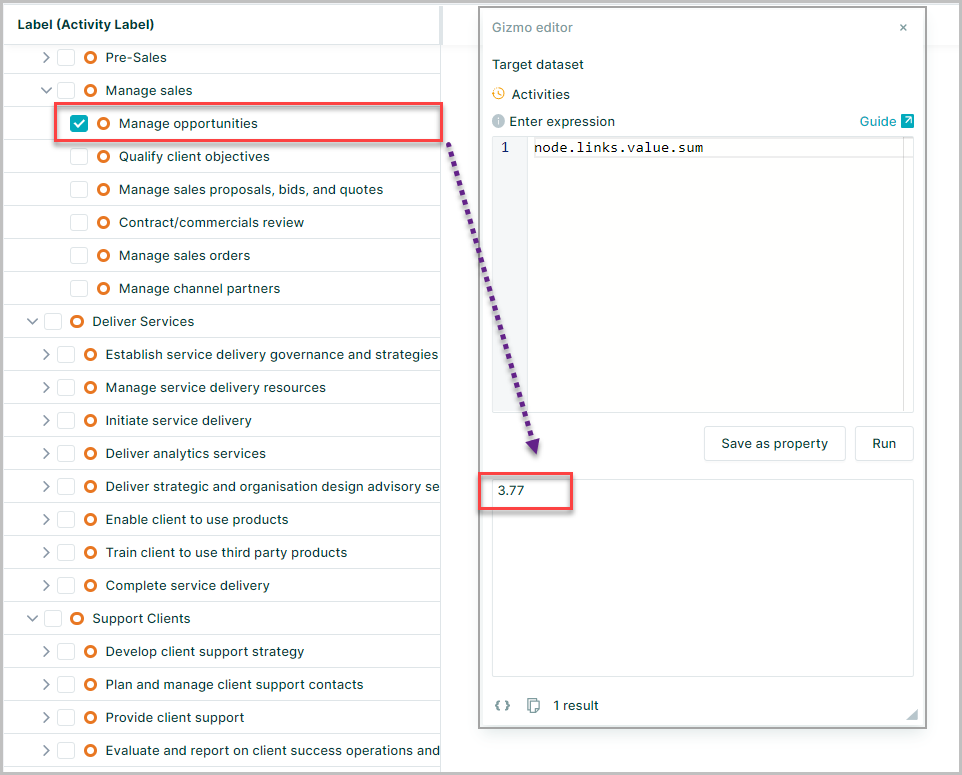
node.links.value lists all linked values to the selected node
To calculate FTEs correctly using links, you must understand the format of % time spend - in percentage (0.2) or integers (20)
When the values are provided in integers, The 'total FTEs' need to be divided by 100: node.links.value.sum/100
Calculating the cost using links
Using the linked values with the salary of those conducting the activities allows your to calculate cost of each activity when the People and the Processes datasets are linked through % time spent.
node.links.to lists all nodes linked to the selected node.
Furthermore you are able to access the specific property in the linked dataset
node.links.to.salary lists all 'salary' values of the nodes linked to the selected node.
To calculate the activity cost, you need to calculate 'time spend x payroll cost' for each linked node, then sum them up.
In the Activities dataset use the expression
node.links.math("value*to.fullyLoadedCost").sum
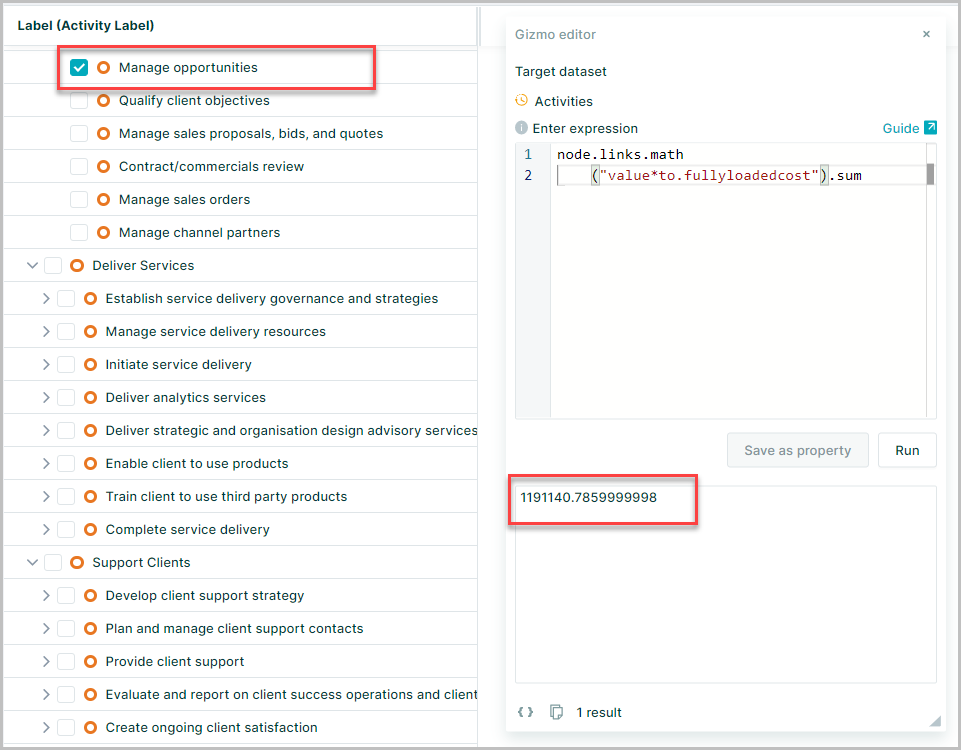
where the fullyLoadedCost property represents total payroll cost
To return the results to the nearset whole integer then Round() can be added to the expression
node.links.math("value*to.fullyloadedcost").sum.round(0)
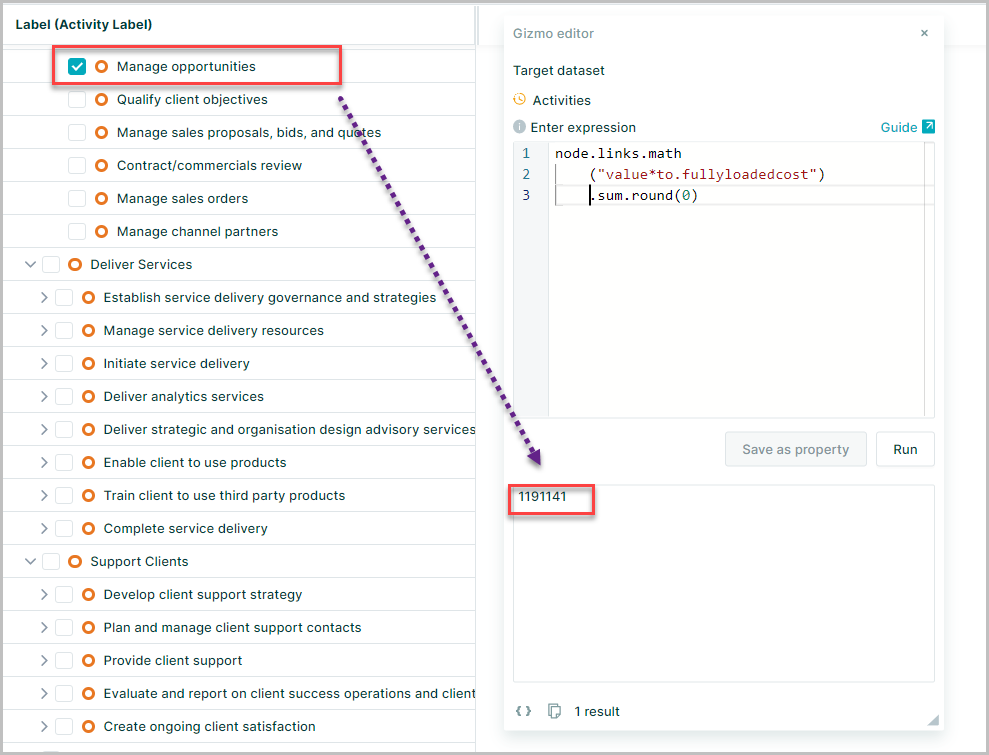
Be aware of the format of the link values, for example, When the values are provided in integers, use: node.links.math("(value/100)*to.salary").sum
Using linked values with aggregators
You want to find the average salary of all people linked to an activity rounded with no decimal places
In the Process dataset use the expression
node.links.to.fullyLoadedCost.avg.round(0)
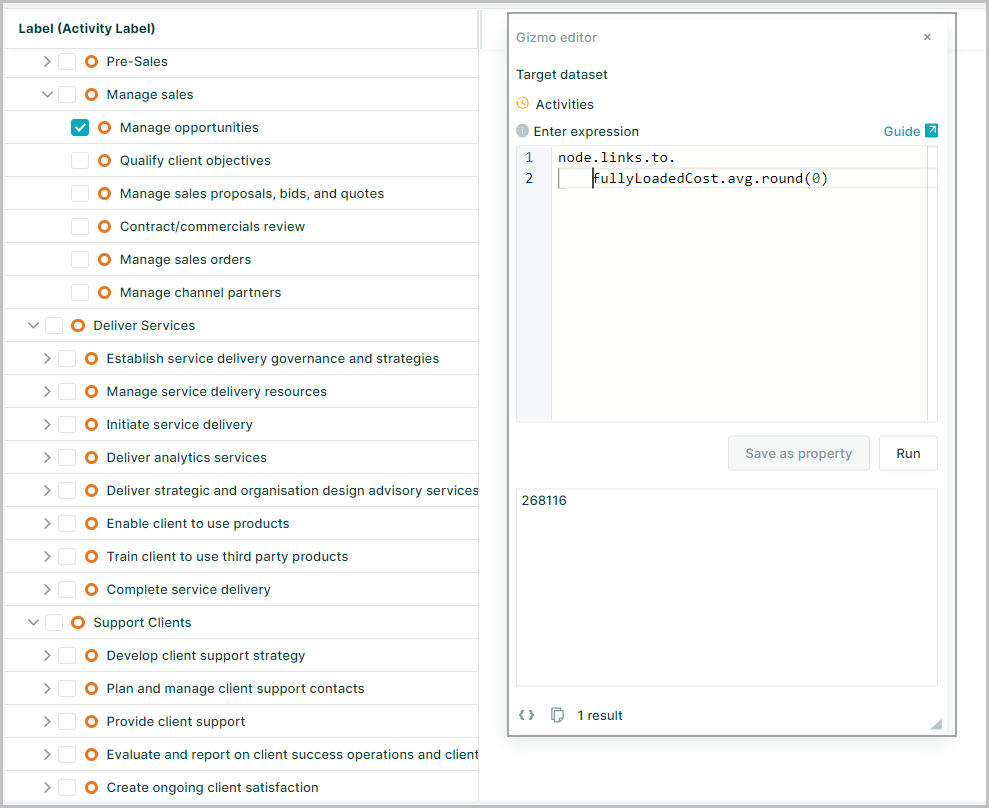
Links with conditional logic
The linking of nodes can also be used in conditional logic
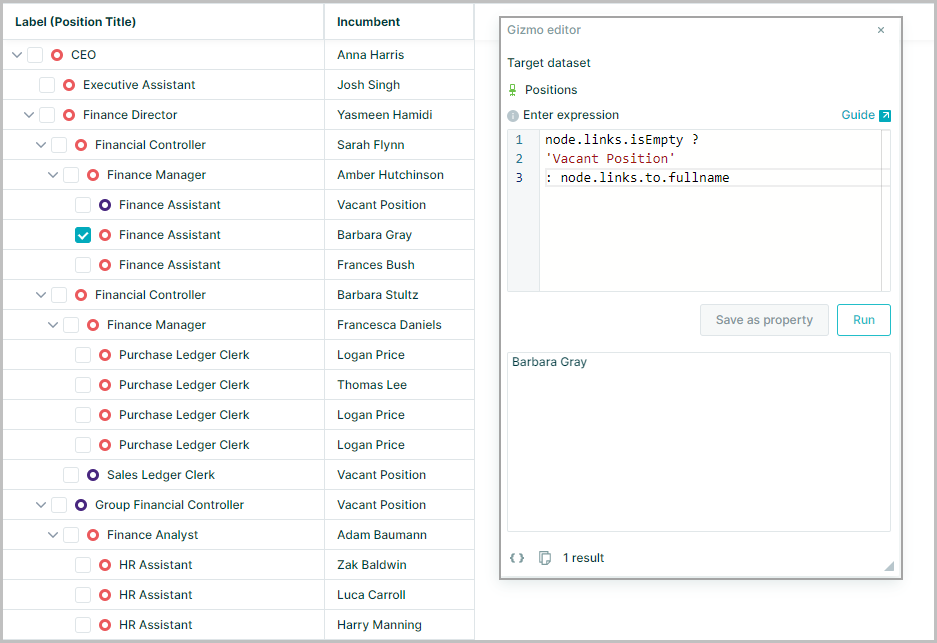
A common example of this would be with a People to Position setup to populate the current incumbent for each position
Any positions without a link are considered empty and therefore shown as vacant positions
The isEmpty method can be used to test if the link is empty and return the results as TRUE or FALSE
node.links.isEmpty
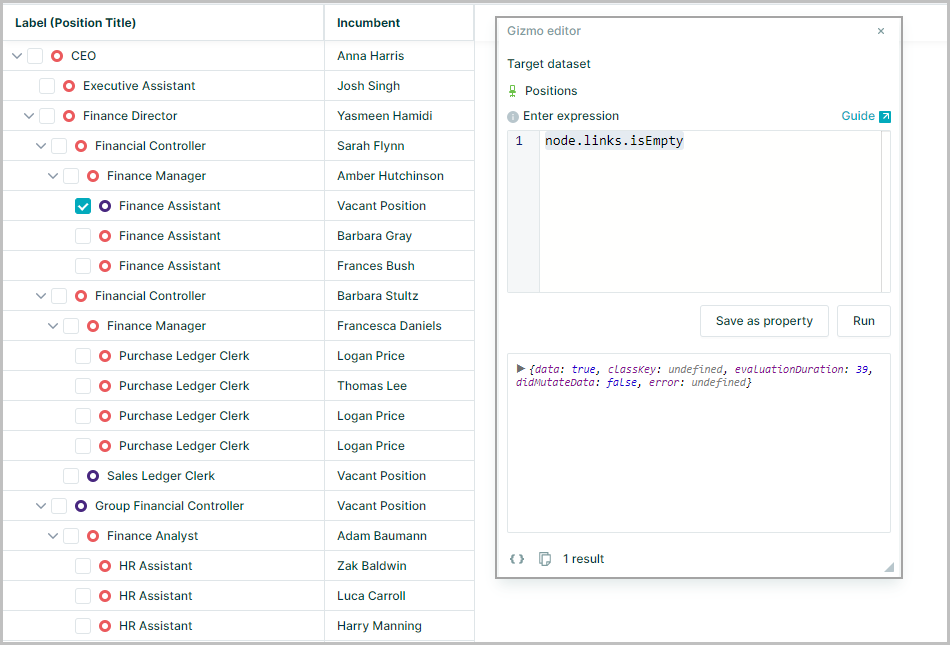
Adding conditional logic to the expression can return the the text string "Vacant Position" for the empty links and the "fullname" property value for the linked node from the people dataset
node.links.isEmpty ?
'Vacant Position'
: node.links.to.fullname