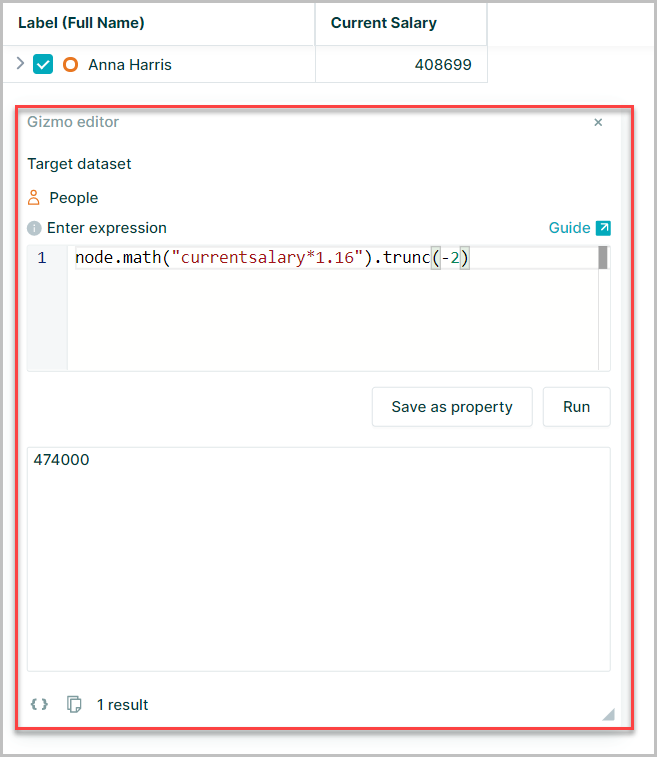
Precision
When working with numbers, and particularly with currencies, it is common to want to be able to express a number to a fixed precision
The methods:
.round().ceil().floor().trunc()
are provided for this purpose:
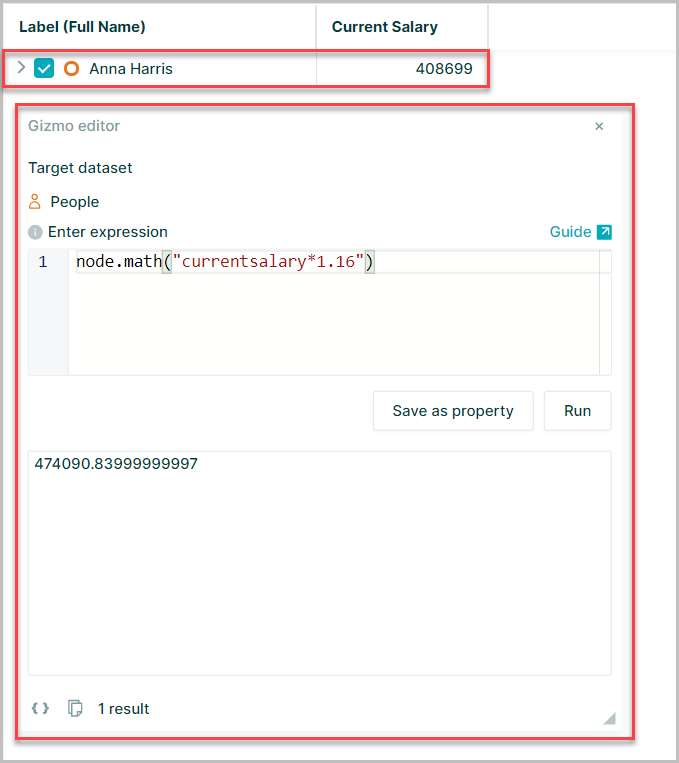
In this example the Current Salary of the node is being multiplied by 1.16
With no precision methods applied the result is shown with 11 decimal places
Round
The Math.round() function returns the value of a number rounded to the nearest specified integer
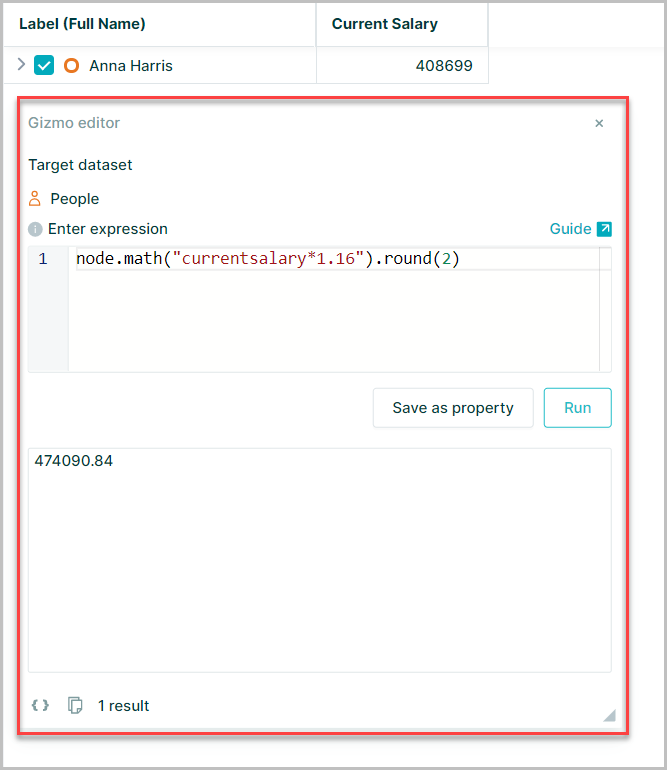
using the same example above with the round(2) method
node.math("currentsalary * 1.16").round(2)
This rounds the result to 2 decimal places
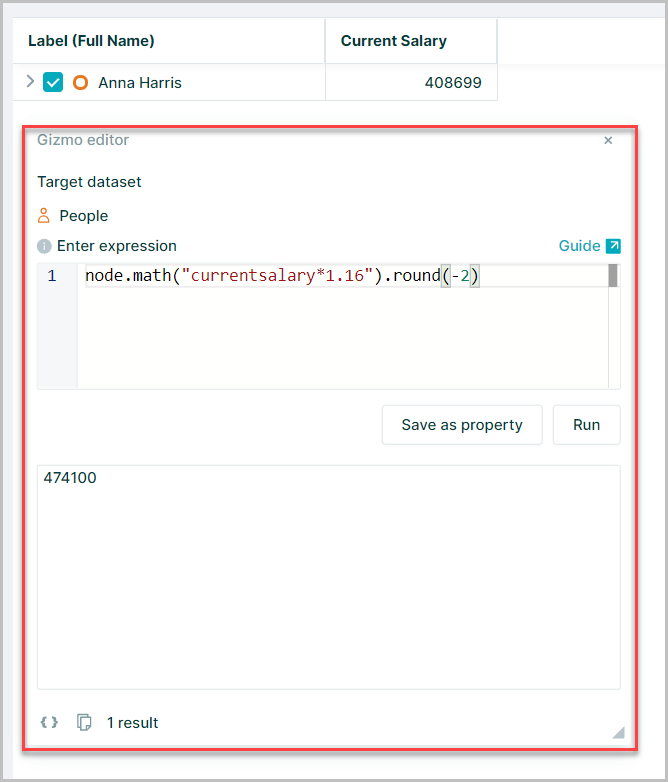
round() can also use negative values in the brackets to round the value before the decimal point
node.math("currentsalary * 1.16").round(-2)
Floor
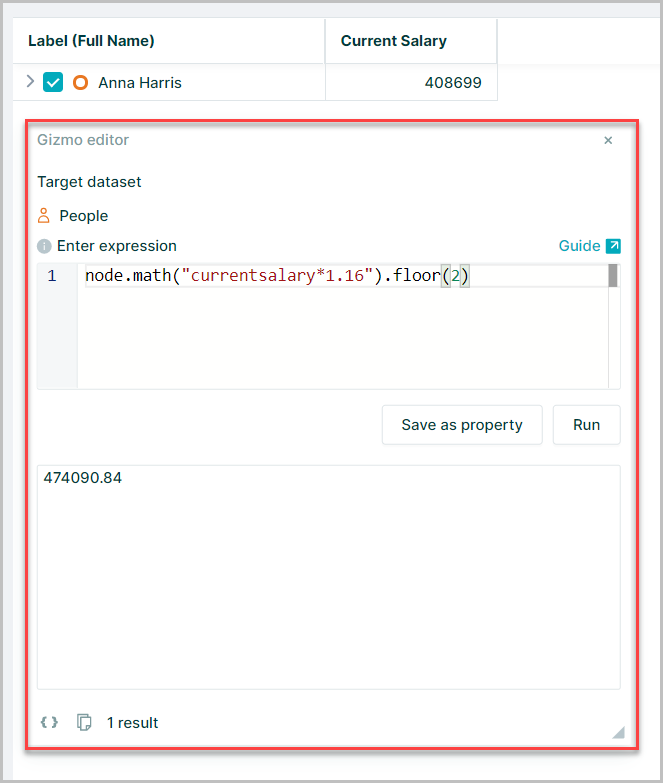
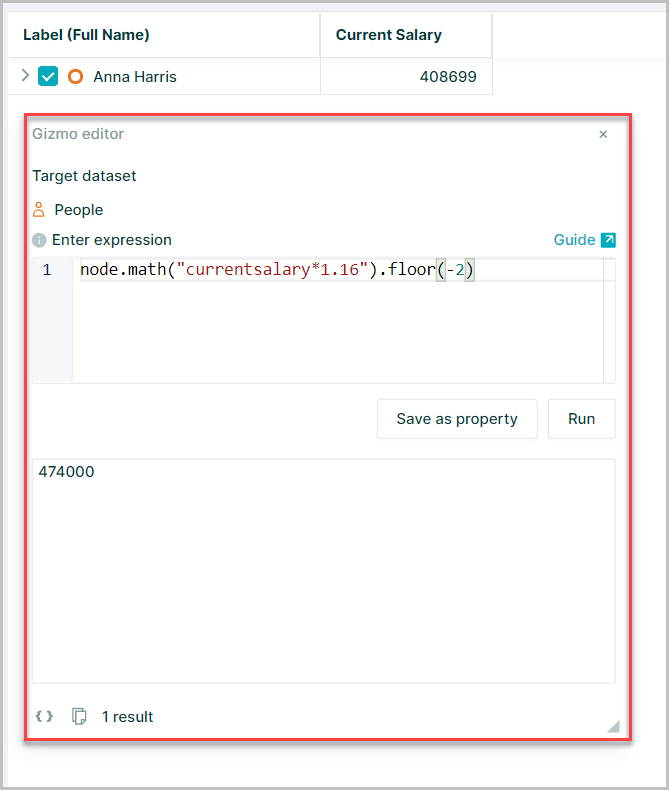
The Math.floor() function returns the largest integer less than or equal to a given number effectively rounding down the value
node.math("currentsalary * 1.16").floor(2)
node.math("currentsalary * 1.16").floor(-2)
Ceil
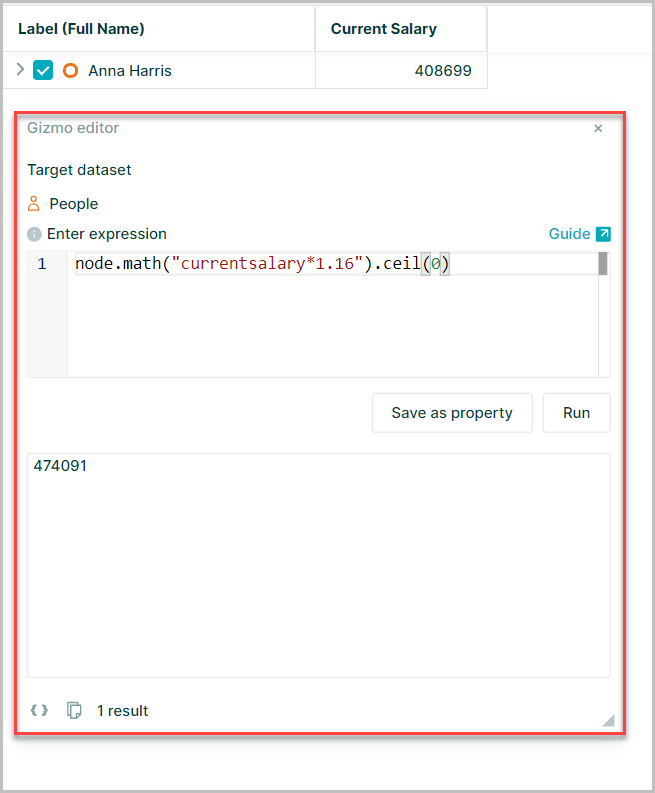
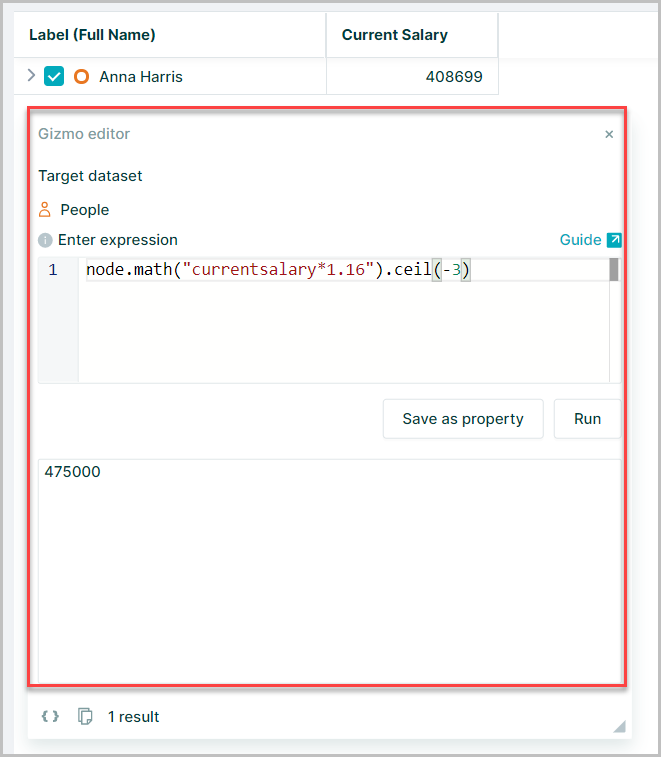
The Math.ceil() function rounds a number up to the next largest integer
node.math("currentsalary * 1.16").ceil(0)
node.math("currentsalary * 1.16").ceil(-3)
Trunc
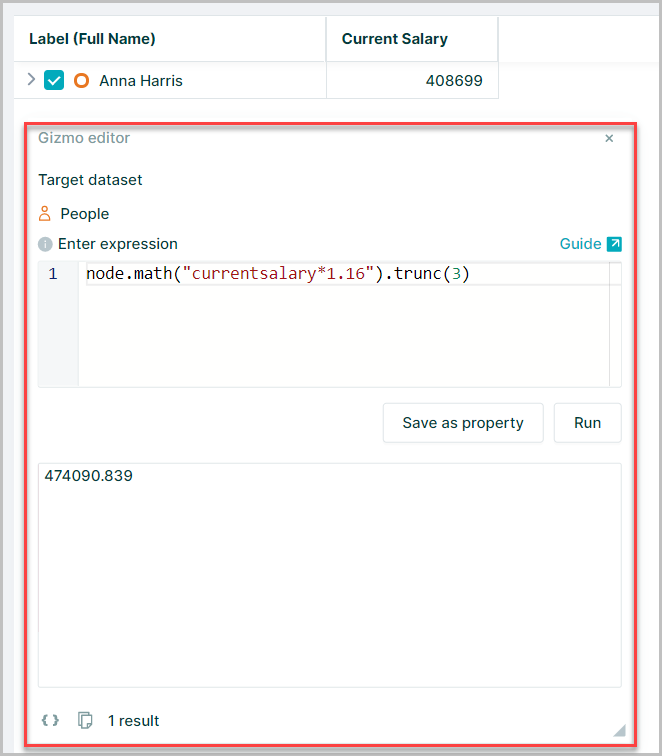
The Math.trunc() function returns the integer part of a number by removing any fractional digits without applying any rounding
node.math("currentsalary * 1.16").trunc(3)
node.math("currentsalary * 1.16").trunc(-2)