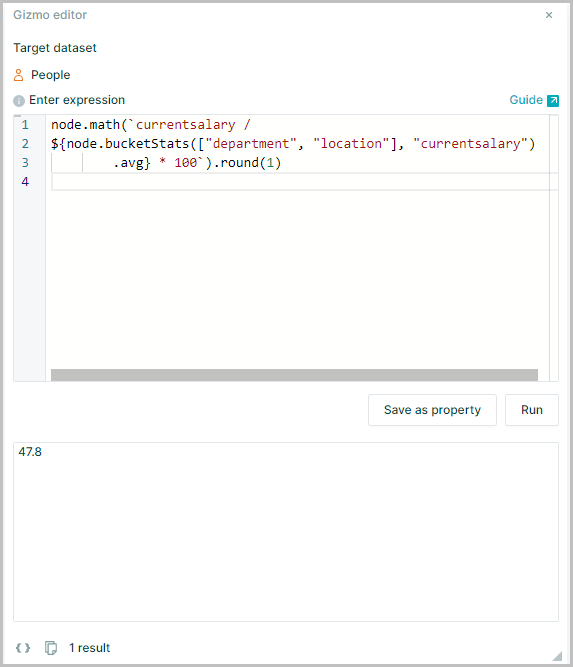
Viewing statistics
The expression nodes()stats("[PropertyKey]") will return an array of descriptive statistics relating to the selected Property Key
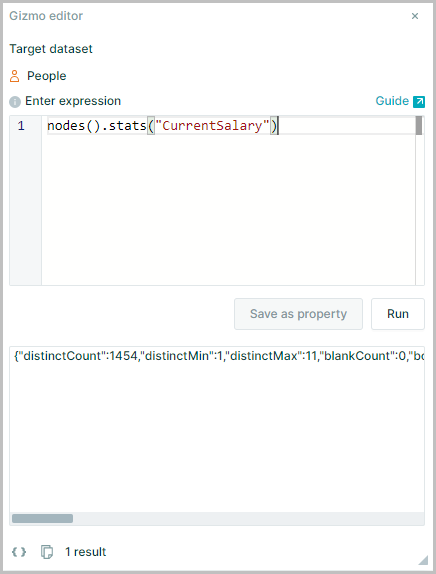
Available statistics are:
| Statistic | Name |
|---|---|
| distinctCount | Distinct Count |
| distinctMin | Distinct Min |
| distinctMax | Distinct Max |
| blankCount | Blank Count |
| booleanCount | Boolean Count |
| dateCount | Date Count |
| numberCount | Number Count |
| textCount | Text Count |
| avg | Average |
| min | Minimum |
| max | Maximum |
| sum | Sum |
| length | Length |
| count | Count |
| cnt | Cnt |
| sumSquares | Sum of Squares |
| firstQuartile | First Quartile |
| median | Median |
| thirdQuartile | Third Quartile |
| iqr | Interquartile Range |
| mean | Mean |
| range | Range |
| stddev | Standard Deviation |
| variance | Variance |
Adding a dot at the end nodes().stats("[PropertyKey]").[statistic] allows you to call one of the specific statistics for the selected property
Statistics All Nodes
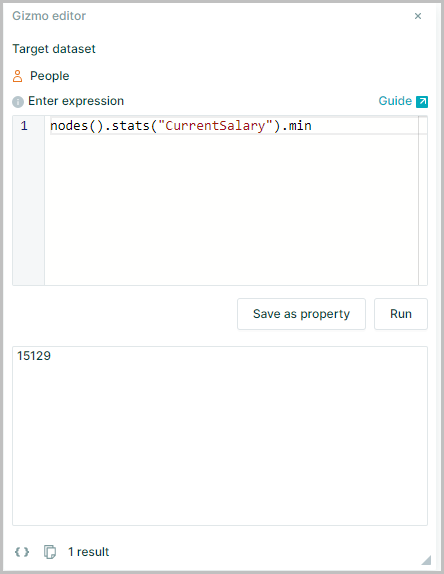
To calculate the minimum salary of the whole organization
Assuming the field (PropertyKey) for which the minimum is required is Current Salary, use
nodes().stats("Current Salary").min
Statistics for Subset of Nodes
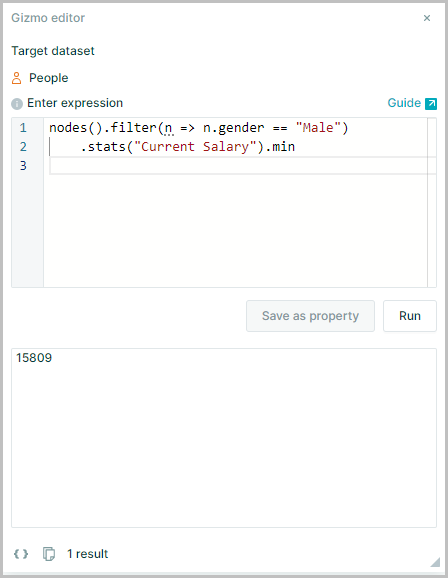
To perform a calculation on a subset of dataset, filter() and n => n needs to be nested in the expression
See Filtering and Lambda expressions for further explanation of filter() and n => n
So to find the minimum salary of just male employees use
nodes().filter(n => n.gender == "Male").stats("Current Salary").min
Statistics Node Buckets
.bucketStats() efficiently calculates the descriptive statistics for a bucket intersection
Use the format .bucketStats([bucket keys], measure) to perform the aggregation
For example this could allow the comparison of the salary of an employee against the mean salary of employees in the same cohort expressed as a percentage
node.CurrentSalary / node.bucketStats(["department", "location"], "CurrentSalary").avg * 100
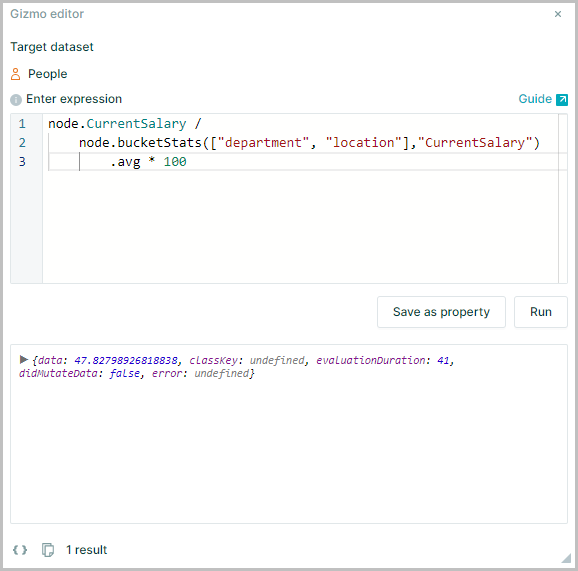
It should be noted that this method will return the result as a string not a number
Using node.math() at the start of the expression will return the result as a number rather than a string
node.math(`currentsalary / ${node.bucketStats(["department","location"], "currentsalary").avg} * 100`)
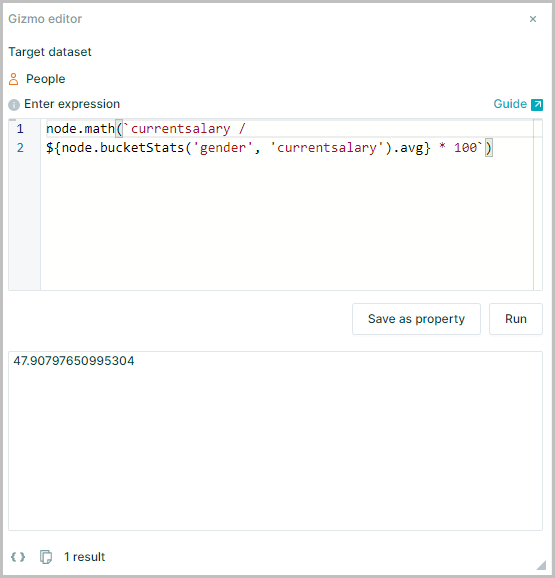
Note: The use of ` backticks around the expression within the
Node.math(Expression)and the${}around the${node.bucketstats([bucket keys])}
Returning the result as a number has the benefit of being able to chain round or format
node.math(`currentsalary / ${node.bucketStats(["department", "location"], "currentsalary").avg} * 100`).round(1)