Lookups
lookup allows you to keep one or more main datasets updated with a reference set of data. It works similarly to VLOOKUP in Microsoft Excel
This can be useful where the reference set of data needs to be updated periodically, and the change needs to be reflected through the entire population of one or more main datasets
The power of Lookups in Orgvue is that it allows you to normalize multiple datasets with consistent numerical values, text or colours (by gender, department, etc.)
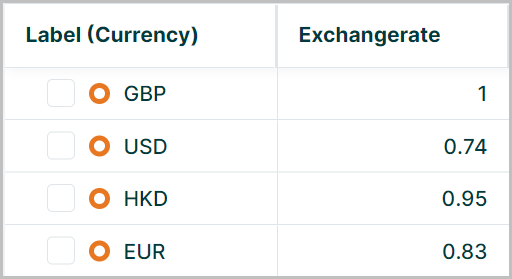
In this example a lookup table is used to provide exchange rates to GBP based on the currency listed for each node
There are three modes of lookup:
| Lookup Type | Description |
|---|---|
| Auto | For datasets in the Lookup tab which share the same name as the key of the property, a lookup function will be performed. However, no other properties from the lookup dataset are imported. The imported properties can also be accessed via expressions. |
| None | No lookup will be performed regardless of there being a dataset of the same name in the Lookup tab. |
| Dataset | This mode allows you to select any dataset from either the Lookup tab or those tagged as lookup the dataset does not need to have the same name as the property key but the lookup will always be performed on the id field of the lookup dataset. The properties of the lookup dataset will also be imported and are available for use in your slides. The imported properties can also be accessed via expressions. |
The lookup type for a property can be configured in the Property Manager in Settings. See for more details on creating a lookup property
The lookup mode selected in settings will dictate the method used to reference the lookup data in expressions
Lookups in Auto Mode
When referencing lookups that have been setup using auto mode the properties in the lookup dataset do not appear in the source dataset that the lookup is performed from so the syntax is
node.lookup("lookupproperty").lookedup-property
e.g.
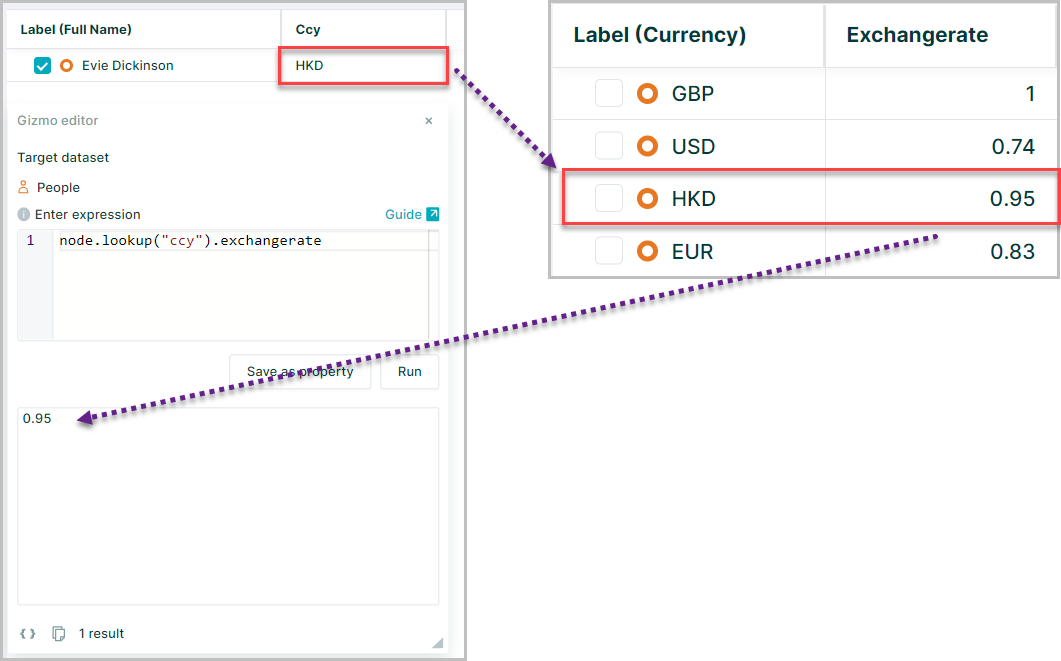
node.lookup("ccy").exchangerate
Here the value for the "ccy" property of the selected node is used to perform the lookup and the value for exchange rate returned
Lookups in Dataset mode
When referencing lookups that have been set up in dataset mode the values from the lookup table are present in the main dataset for use in expressions and visualisations
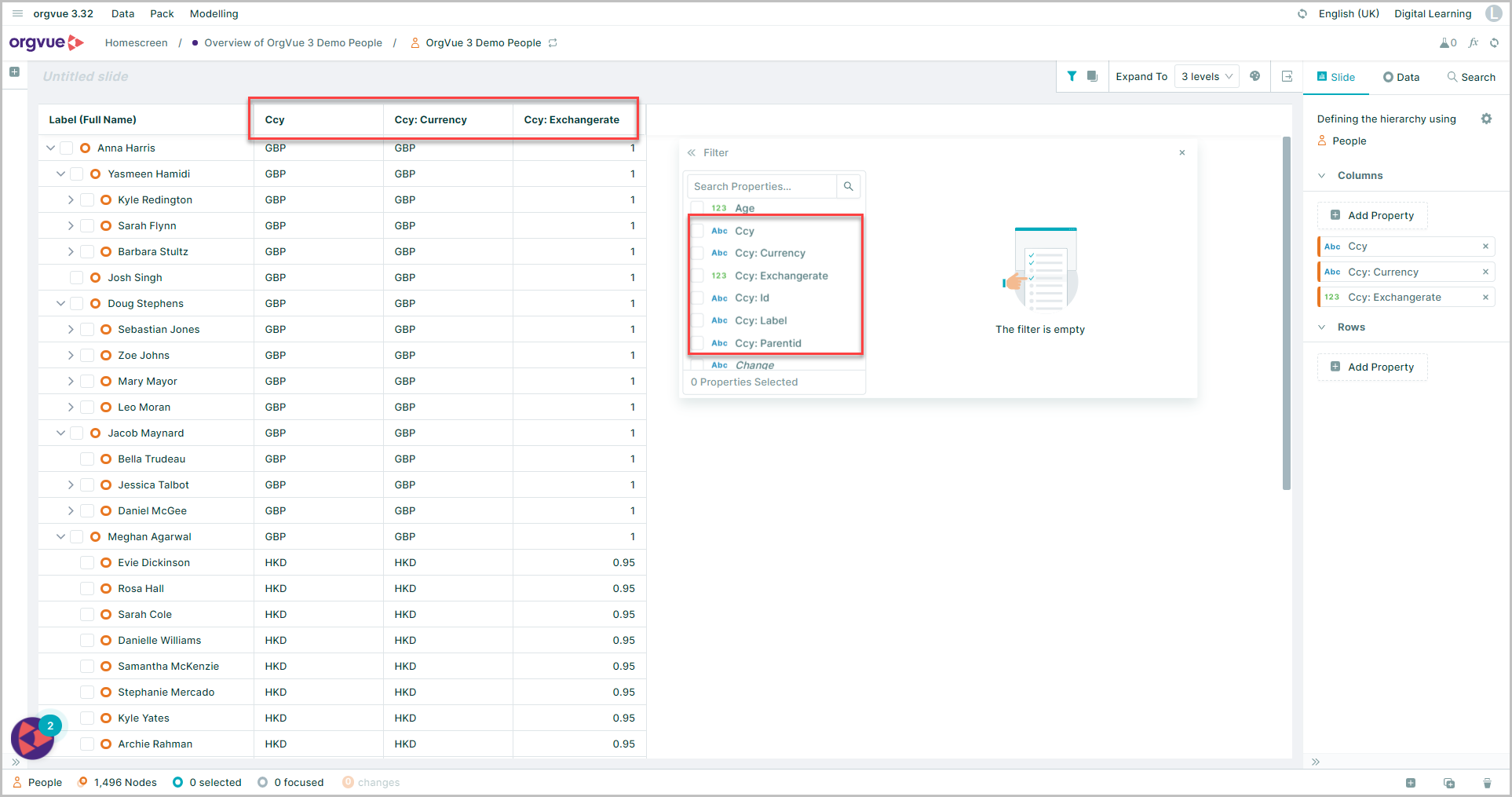
Therefore the syntax used in expressions to call these properties differs from Auto mode
The generic syntax is either:
node.LookedupFromPropertyKeyLookedupToPropertyKey
There is no . between the Looked up from property key and the Looked up to property key when used in Dataset mode
or
node["lookup:lookedUpProperty"]
Using the same example of the currency exchange rate
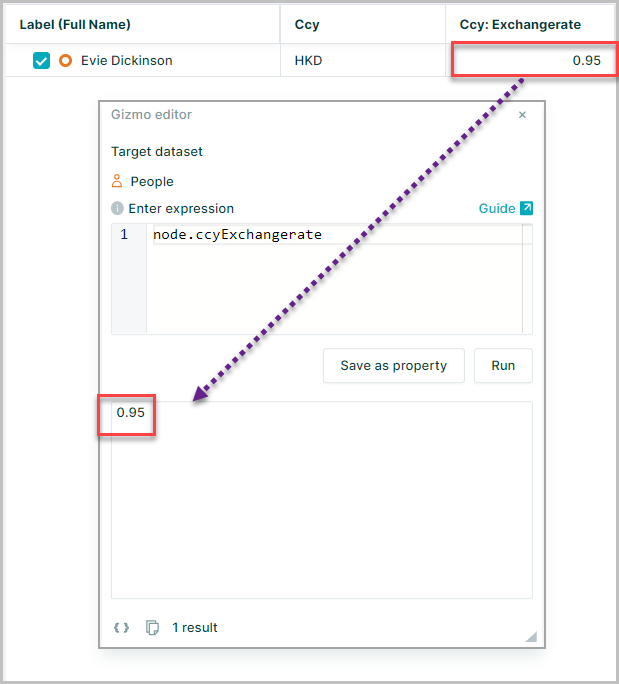
node.ccyExchangerate
or
node["ccy:Exchangerate"]
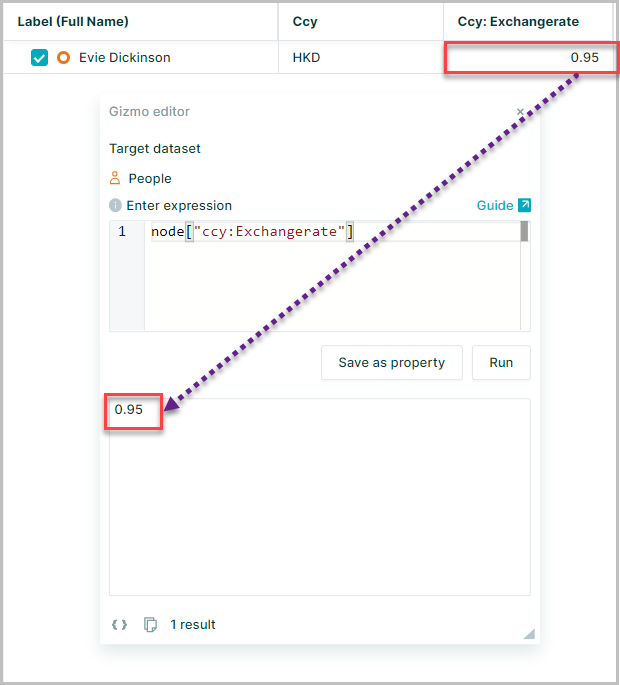
Could be used to reference the lookup property
Any changes made in the lookup dataset 'ccy' will automatically apply to the main dataset
Using lookups in calculations
The lookup properties can be used in calculations using math()
In this example:
node.math("CurrentSalary*ccyExchangerate")
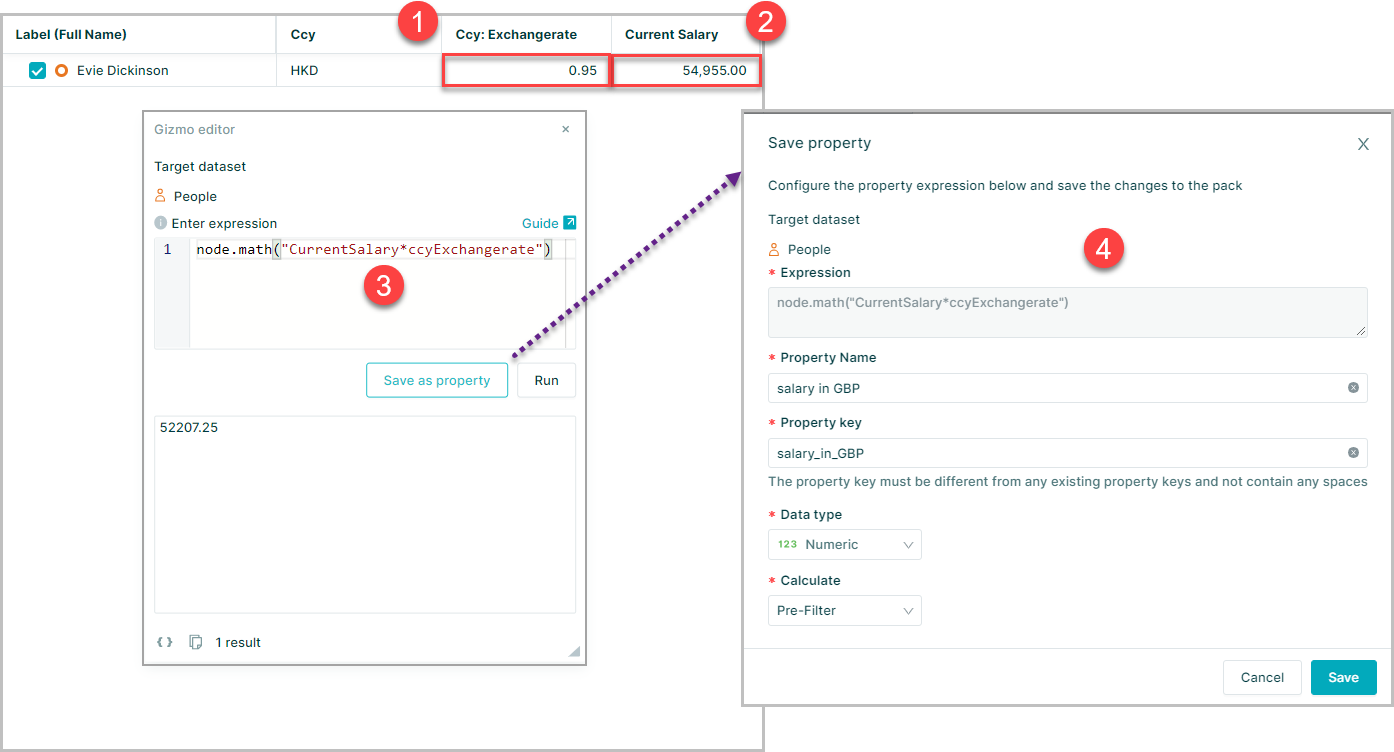
- The exchange rate for the node
- is used with the "Current Salary"
- In an expression to convert salary in local currency to salary in GBP
- The expression can then be saved as a property
When using lookup datasets to populate pack properties in this way ensure that as a minimum Read Only access is provided for users to the lookup dataset to enable the the expression to calculate